
No Power / No Display Repair
No Power and No Display Repair in Perumbakkam, Chennai
Systematic diagnosis for laptops that are completely unresponsive or power on with a blank screen.
Symptoms
Common problems
- Nothing at all happens when the power button is pressed
- Power and charging lights glow but the screen stays blank
- Fans spin and the machine sounds like it is running, with no picture
- A faint image is visible only when a torch is held against the screen
- The machine displays on an external monitor but not on its own screen
- Beep codes or a blinking light pattern instead of a normal start-up
What the service involves
Service details
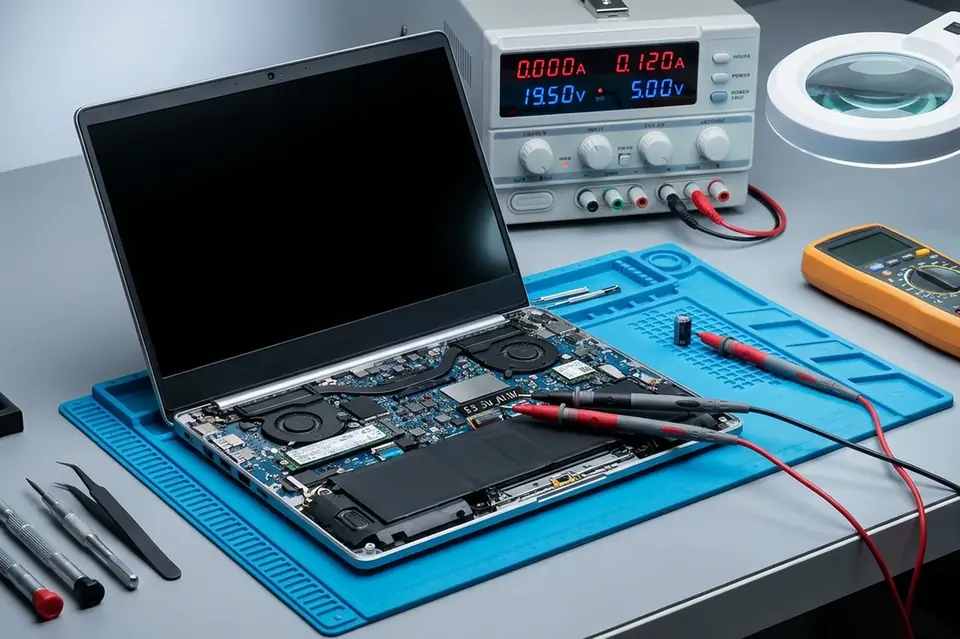
A no-power fault is followed from the wall outlet inwards — adapter output, DC jack, charging circuit, battery, and the board's power sequence. A dead adapter and a failed charging port are both common and both fixable.
A no-display fault is followed the other way. If an external monitor shows a picture, the problem lies in the panel, the backlight or the display cable. If it does not, attention moves to memory, the graphics section and the board.
Why this service may be needed
A blank screen is one of the few faults where trying things at home can make matters worse — repeatedly forcing the power button on a machine with a shorted rail, for example. Bringing the machine in while the symptom is still consistent makes the fault far easier to trace.
Step by step
How the service works
- 1
Contact or visit
Call, message on WhatsApp, or bring the machine to the counter on Nookampalayam Road.
- 2
Initial inspection
The device is checked physically and powered up where possible to see how it behaves.
- 3
Issue identification
Testing narrows the fault down to a part, a board-level problem or a software problem.
- 4
Service recommendation
The finding is explained to you along with what the repair or replacement involves.
- 5
Repair or replacement
Work starts once you agree to it — repair, part replacement, upgrade or reinstallation.
- 6
Testing
The machine is run and checked again to confirm the original symptom is gone.
- 7
Handover
The device is handed back with an explanation of what was done.
Related services
Often looked at alongside this
- Motherboard / Chip-Level ServiceBoard-level diagnosis and repair for power faults, shorted circuits and components that have failed on the motherboard itself.
- Laptop Screen ReplacementCracked, flickering, lined or blank display panels replaced, with the cable and backlight checked first.
- Battery ReplacementReplacement for batteries that drain quickly, stop charging, or have swollen and started to push against the case.
Frequently asked
Questions about no power / no display repair
Something not covered here? Call the counter or send a message on WhatsApp with your model number and the symptom.
My laptop shows no display but I can hear it running. What is wrong?
That points to the display chain rather than the power circuit — the panel, its backlight, the display cable, or the graphics section on the board. Connecting an external monitor is the first test used to separate these.
The charging light does not glow at all. Is the laptop dead?
Not necessarily. A failed adapter, a broken charging port or a protection circuit that has tripped will all produce the same symptom, and none of them means the machine is beyond repair.
Can a completely dead laptop be brought back?
Often, yes — once the point at which power stops is found. Whether it is worth doing depends on what has failed, and that is explained after the inspection.
Why does my screen show a very faint image?
A dim image that becomes visible under a torch usually means the backlight has stopped working while the panel itself is still producing a picture.
Should I keep pressing the power button if nothing happens?
No. Repeated attempts do not help and can worsen an electrical fault. Disconnect the adapter and have the machine checked.
Contact Laptech
Need laptop service? Contact Laptech today
Call the counter in Perumbakkam or send the model number and symptom on WhatsApp.