
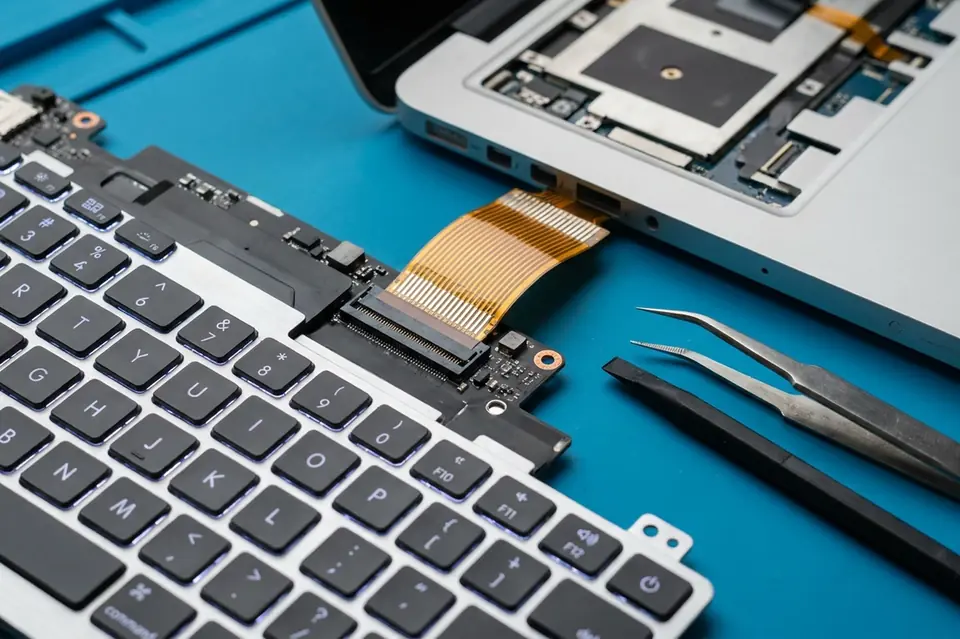
Keyboard & Touchpad Replacement
Laptop Keyboard and Touchpad Replacement in Perumbakkam, Chennai
Testing and replacement for unresponsive keys, repeated typing, damaged keyboards and erratic touchpads.
Symptoms
Common problems
- Individual keys do not register, or need to be pressed hard
- A key repeats characters on its own without being held
- Liquid has been spilled and several keys have stopped working
- The keyboard backlight no longer comes on
- The touchpad does not respond, or the pointer jumps around
- Click buttons or multi-finger gestures have stopped working
What the service involves
Service details
The keyboard is tested key by key and the touchpad is checked for tracking, clicking and gestures. Where the ribbon cable has worked loose or the connector is damaged, that is dealt with directly. Where the module itself has failed, a keyboard or touchpad assembly matching your model and layout is fitted.
Spill-affected keyboards are treated as a separate case, since liquid that reached the keyboard may also have travelled further into the machine.
Why this service may be needed
A single unreliable key is a daily irritation, but the bigger reason to deal with it is that the causes are often not confined to the keyboard. A spill, a swollen battery pressing up against the touchpad, or a chafed ribbon cable all show up first as an input problem.
Step by step
How the service works
- 1
Contact or visit
Call, message on WhatsApp, or bring the machine to the counter on Nookampalayam Road.
- 2
Initial inspection
The device is checked physically and powered up where possible to see how it behaves.
- 3
Issue identification
Testing narrows the fault down to a part, a board-level problem or a software problem.
- 4
Service recommendation
The finding is explained to you along with what the repair or replacement involves.
- 5
Repair or replacement
Work starts once you agree to it — repair, part replacement, upgrade or reinstallation.
- 6
Testing
The machine is run and checked again to confirm the original symptom is gone.
- 7
Handover
The device is handed back with an explanation of what was done.
Related services
Often looked at alongside this
- Laptop Screen ReplacementCracked, flickering, lined or blank display panels replaced, with the cable and backlight checked first.
- Liquid / Water Damage RepairInspection and cleaning after a spill, before corrosion has time to spread across the board and its connectors.
- Laptop & Desktop RepairGeneral diagnosis and repair for laptops, desktops and all-in-one machines that will not start, run slowly or behave unpredictably.
Frequently asked
Questions about keyboard & touchpad replacement
Something not covered here? Call the counter or send a message on WhatsApp with your model number and the symptom.
Can a single faulty key be repaired instead of replacing the whole keyboard?
Sometimes a keycap, its retaining clip or the rubber dome can be refitted. If the membrane underneath has failed, the keyboard module has to be replaced.
My keyboard stopped working after a spill. What should I do?
Switch the machine off, disconnect the adapter and do not try to dry it with heat. Bring it in so the liquid path can be checked, because it may have reached more than the keyboard.
Why does one key keep repeating by itself?
A stuck or contaminated switch usually causes it. Cleaning resolves some cases; a failed membrane needs a replacement keyboard.
The touchpad has stopped working but an external mouse is fine. Is it hardware?
Not always. A disabled setting, a function-key toggle or a driver issue can all do this, so the software side is ruled out before the touchpad is opened up.
Can the keyboard layout be changed during replacement?
The replacement matches the layout your model was built for. Which layouts are available for your machine is confirmed at the inspection.
Contact Laptech
Need laptop service? Contact Laptech today
Call the counter in Perumbakkam or send the model number and symptom on WhatsApp.