
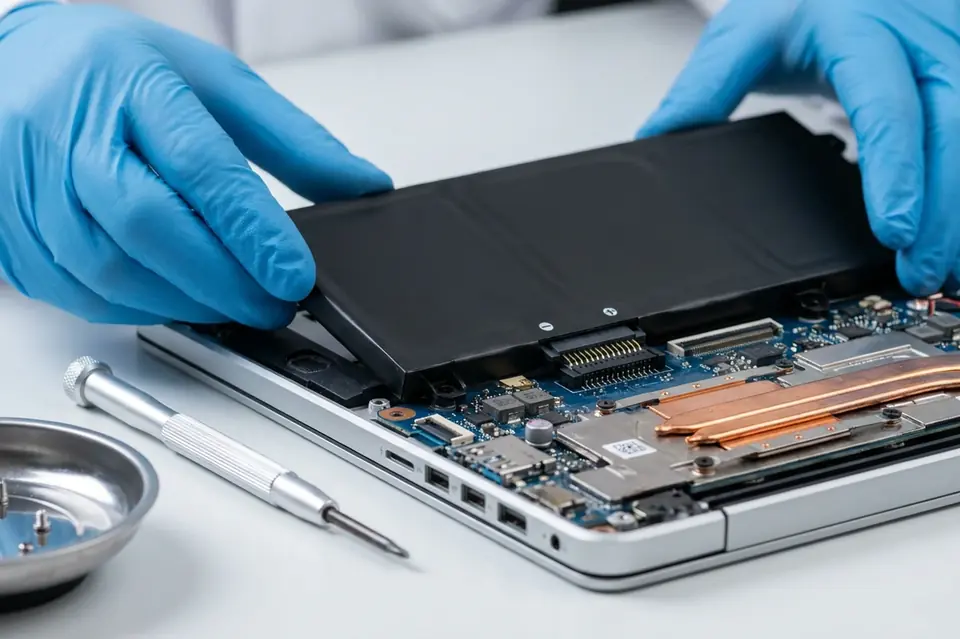
Battery Replacement
Laptop Battery Replacement in Perumbakkam, Chennai
Battery health checks and safe replacement for laptops that drain quickly, stop charging or only work while plugged in.
Symptoms
Common problems
- The laptop shuts down within minutes of being unplugged
- Battery percentage jumps around or sticks at one number
- "Plugged in, not charging" appears in Windows
- The battery does not charge past a certain percentage
- The bottom panel or touchpad is bulging outwards
- The machine runs only when the adapter is connected
What the service involves
Service details
The existing battery is checked for charge capacity, cycle behaviour and physical condition, and the charging path is tested at the adapter and the port. If the battery is the cause, a replacement of the correct type for your model is fitted and the machine is charged and discharged to confirm normal behaviour.
Swollen batteries are treated as urgent. A pack that has expanded puts pressure on the case, the touchpad and sometimes the board, and continuing to use the machine in that state is not advisable.
Why this service may be needed
Battery capacity falls gradually, so most people adjust to it without noticing — until the laptop can no longer be moved from the desk. Replacing the pack restores portability, and in the case of a swollen battery it also removes a genuine safety and hardware risk.
Step by step
How the service works
- 1
Contact or visit
Call, message on WhatsApp, or bring the machine to the counter on Nookampalayam Road.
- 2
Initial inspection
The device is checked physically and powered up where possible to see how it behaves.
- 3
Issue identification
Testing narrows the fault down to a part, a board-level problem or a software problem.
- 4
Service recommendation
The finding is explained to you along with what the repair or replacement involves.
- 5
Repair or replacement
Work starts once you agree to it — repair, part replacement, upgrade or reinstallation.
- 6
Testing
The machine is run and checked again to confirm the original symptom is gone.
- 7
Handover
The device is handed back with an explanation of what was done.
Related services
Often looked at alongside this
- No Power / No Display RepairFor machines that stay completely dead, or that power up with fans running but leave the screen blank.
- Laptop & Desktop RepairGeneral diagnosis and repair for laptops, desktops and all-in-one machines that will not start, run slowly or behave unpredictably.
- Motherboard / Chip-Level ServiceBoard-level diagnosis and repair for power faults, shorted circuits and components that have failed on the motherboard itself.
Frequently asked
Questions about battery replacement
Something not covered here? Call the counter or send a message on WhatsApp with your model number and the symptom.
How do I know whether my battery needs replacing or just recalibrating?
Capacity is measured against the battery's original rating and its charge cycles are checked. That distinguishes normal ageing from a battery that has actually failed.
What does "plugged in, not charging" mean?
It means the system sees the adapter but is not sending charge to the battery. The cause may be the battery, the adapter or the charging circuit, so all three are tested.
Is a swollen laptop battery dangerous?
A swollen pack should be taken seriously. Stop using the machine, avoid charging it, and bring it in — the expansion can damage the touchpad, the casing and the board underneath.
Can the battery be replaced on a laptop with a sealed body?
Most sealed models still have a replaceable internal pack; it is reached by removing the bottom cover rather than a external latch. Whether it can be done for your model is confirmed at the inspection.
Will replacing the battery make my laptop faster?
No. A new battery restores running time away from the mains. If the machine is slow, storage and memory are the things to look at instead.
Contact Laptech
Need laptop service? Contact Laptech today
Call the counter in Perumbakkam or send the model number and symptom on WhatsApp.