
Liquid & Water Damage
Laptop Liquid and Water Damage Repair in Perumbakkam, Chennai
Urgent inspection, corrosion cleaning and board-level diagnosis for laptops affected by liquid or water damage.
Symptoms
Common problems
- Water, tea, coffee or a soft drink has been spilled on the keyboard
- The machine worked after the spill and then failed days later
- Some keys respond and others do not since the spill
- The laptop will not switch on after being wiped and dried
- Charging has stopped working since liquid reached the machine
- Sticky residue or discolouration is visible around the keyboard or ports
What the service involves
Service details
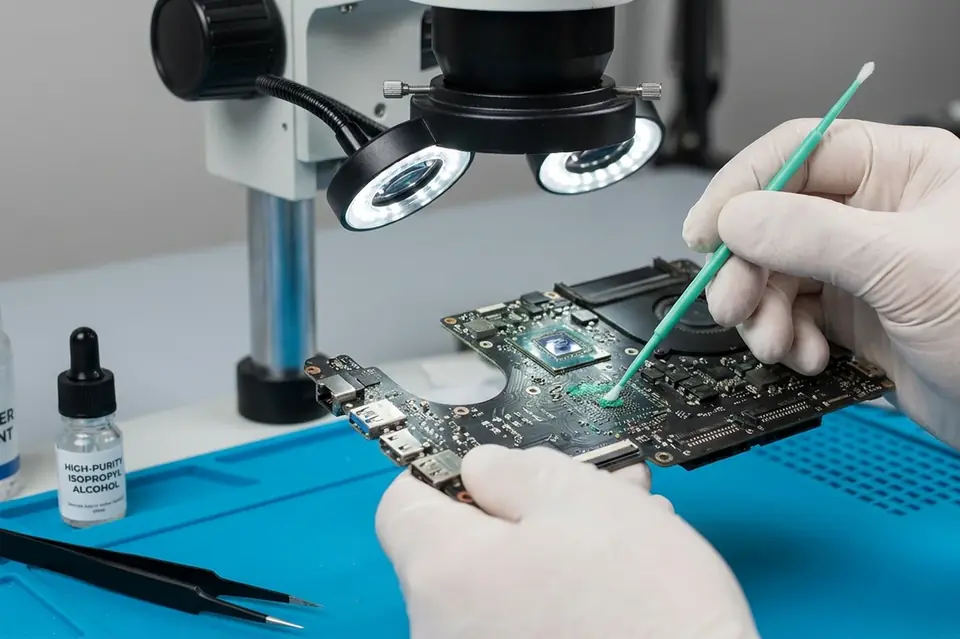
The machine is opened and the path the liquid took is traced. The board, connectors and ribbon cables are examined for residue and early corrosion, cleaned appropriately, and dried before any power is applied. Only then is the machine tested to see what is still working.
Some spills are resolved by thorough cleaning; others have already damaged components or tracks and need board-level repair, which is handled as chip-level service. What is realistic for your machine is explained after the inspection rather than promised in advance.
Why this service may be needed
Rice, hairdryers and simply leaving the machine to dry do not remove what the liquid left behind. Machines that seem to survive a spill often fail weeks later when corrosion finally reaches something critical, and by then the repair is a larger one.
Step by step
How the service works
- 1
Contact or visit
Call, message on WhatsApp, or bring the machine to the counter on Nookampalayam Road.
- 2
Initial inspection
The device is checked physically and powered up where possible to see how it behaves.
- 3
Issue identification
Testing narrows the fault down to a part, a board-level problem or a software problem.
- 4
Service recommendation
The finding is explained to you along with what the repair or replacement involves.
- 5
Repair or replacement
Work starts once you agree to it — repair, part replacement, upgrade or reinstallation.
- 6
Testing
The machine is run and checked again to confirm the original symptom is gone.
- 7
Handover
The device is handed back with an explanation of what was done.
Related services
Often looked at alongside this
- Motherboard / Chip-Level ServiceBoard-level diagnosis and repair for power faults, shorted circuits and components that have failed on the motherboard itself.
- Keyboard & Touchpad ReplacementDead keys, repeating keys, spill damage and touchpads that have stopped responding correctly.
- No Power / No Display RepairFor machines that stay completely dead, or that power up with fans running but leave the screen blank.
Frequently asked
Questions about liquid / water damage repair
Something not covered here? Call the counter or send a message on WhatsApp with your model number and the symptom.
What should I do immediately if liquid spills on my laptop?
Switch it off, disconnect the adapter, remove the battery if your model allows it, and turn the machine upside down so the liquid drains outwards rather than deeper in. Then bring it in.
Should I switch on a laptop after a liquid spill?
No. Powering up a wet board is the most common way a recoverable spill becomes an unrecoverable one, because current through a wet circuit causes further damage.
Can a water-damaged laptop be repaired?
Many can, particularly when the machine is brought in soon after the spill. What is possible depends on the liquid, how far it travelled and how much time has passed.
What does a liquid damage inspection involve?
The machine is opened, the liquid path is traced, and the board, connectors and cables are checked for residue and corrosion before any attempt is made to power it up.
My laptop worked fine after the spill. Do I still need it checked?
It is worth doing. Residue continues to corrode the board quietly, and delayed failures weeks after a spill are common.
Contact Laptech
Need laptop service? Contact Laptech today
Call the counter in Perumbakkam or send the model number and symptom on WhatsApp.